Petrol Bill Format: Free Fuel Receipt in Word, Excel & PDF
 Bill Generator Team
What is a petrol bill?
A petrol bill, or fuel receipt, records a genuine fuel purchase at a fuel station. It can show the station, date and time, dispenser details, fuel rate, quantity or amount, vehicle and payment information. Employees may use genuine petrol bills for fuel or conveyance reimbursement, while businesses use them to track vehicle running costs.
Petrol and diesel are currently outside GST, so the fuel itself should not carry a separate CGST, SGST or IGST charge.
Download petrol bill templates
- Editable Word template (.docx)
- Excel monthly fuel log (.xlsx)
- Filled sample PDF — SAMPLE / DEMO (.pdf)
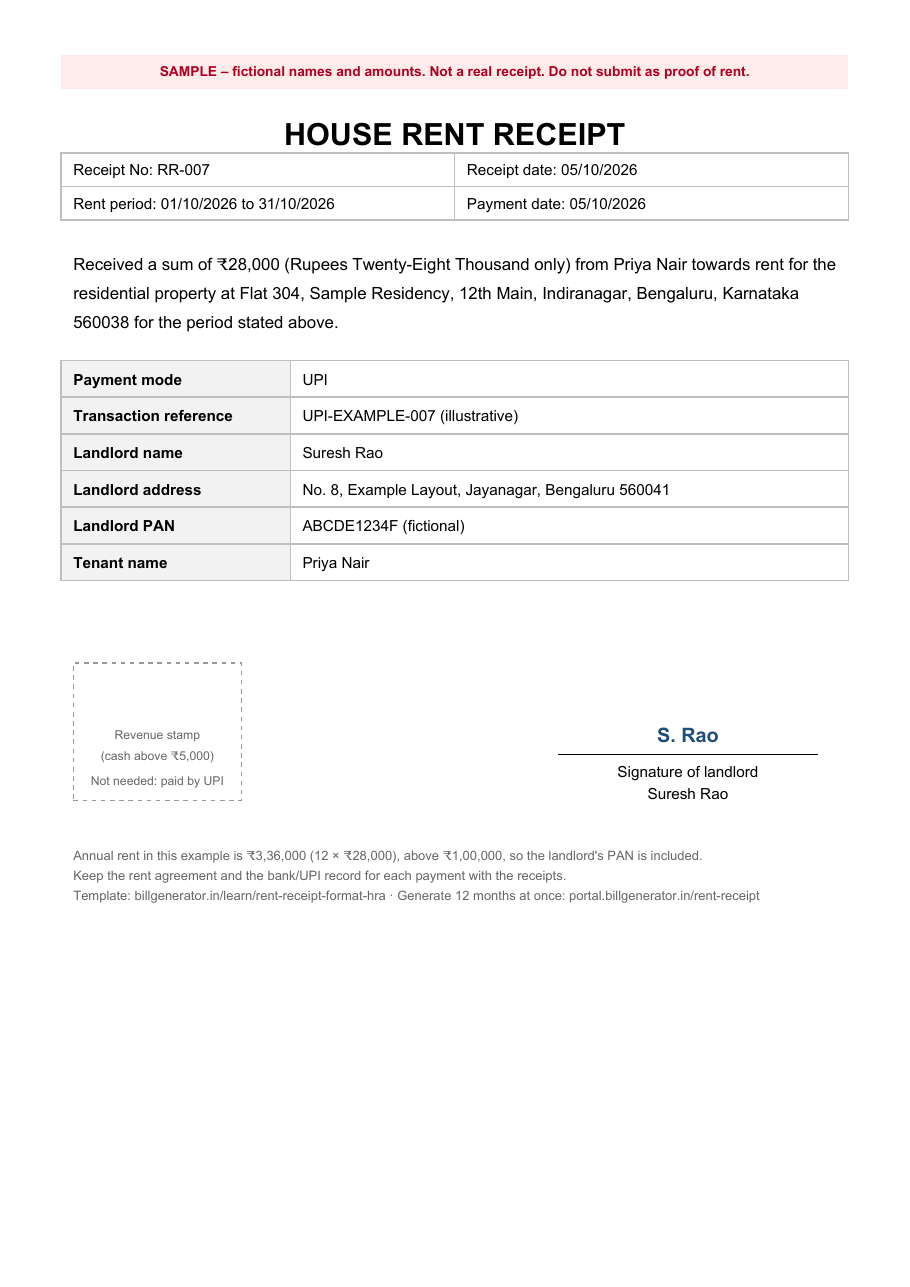
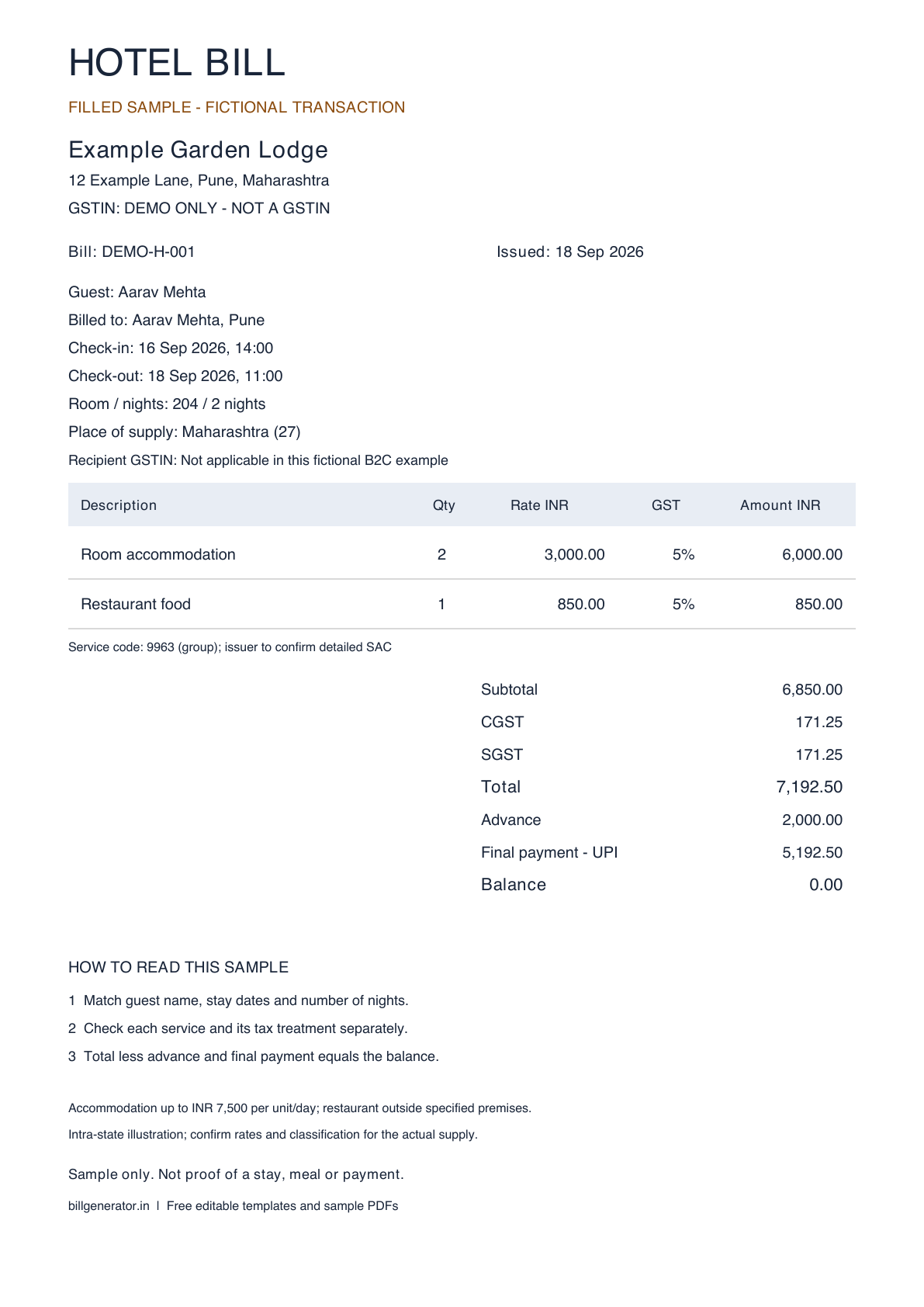
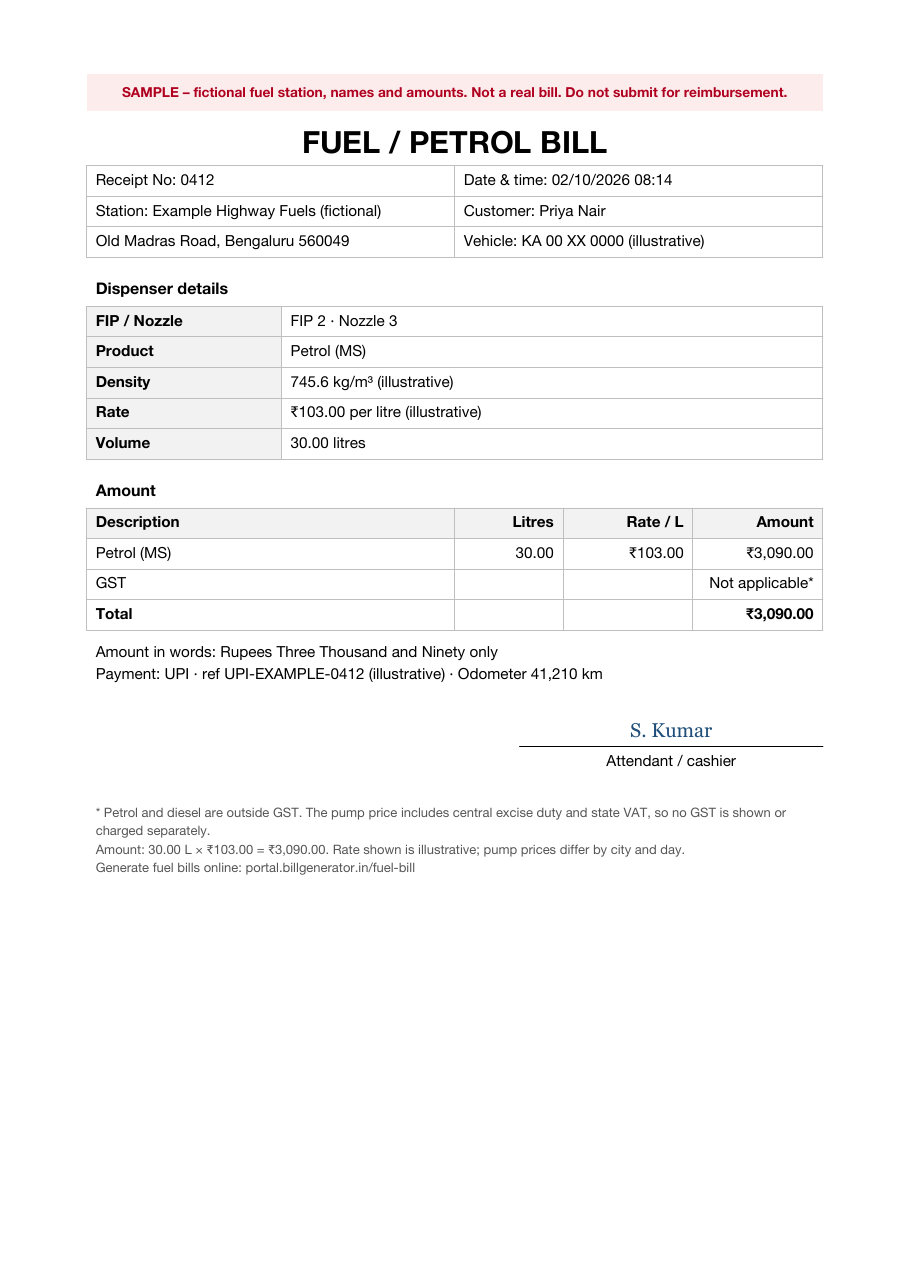
The filled PDF and image use a fictional station and fictional values and should be visibly marked SAMPLE / DEMO — NOT VALID FOR CLAIMS.
What a petrol bill should include
Fuel-station receipts vary by outlet and billing system, but a useful receipt should make the genuine purchase easy to identify and reconcile.
Fuel station
- Station name and address
- Phone number where printed
- Oil-company or dealer reference where the station prints one
- Receipt or invoice number
Fill details
- Date and time of the purchase
- FIP or dispenser number where available
- Nozzle number where available
- Fuel product, such as petrol or diesel, where shown
- Density where the dispenser prints it
- Rate per litre
- Quantity dispensed where recorded
- Total amount charged
Customer and payment
- Vehicle registration number where required
- Customer name where the station or employer records it
- Payment method and reference, such as UPI, card, cash or fleet card
- Odometer reading where maintained for a mileage or fleet record
Field-by-field
| Field | What to enter | Why it matters |
|---|---|---|
| Receipt number | Station's genuine reference | Identifies the purchase and helps prevent duplicate claims |
| Date and time | Actual fill date and time | Connects the receipt to the correct claim period |
| FIP and nozzle | Actual dispenser details where available | Helps connect the receipt to the station's sales record |
| Product | Fuel actually purchased | Should match the transaction and vehicle |
| Rate per litre | Actual pump rate charged | Fuel prices can vary by place and date |
| Quantity | Actual volume dispensed where recorded | Should reconcile with the amount and rate |
| Vehicle registration | Actual vehicle number where required | Connects the expense to the relevant vehicle |
| Payment reference | Genuine UPI, card or other reference | Helps reconcile the bill with payment evidence |
Petrol bill format example
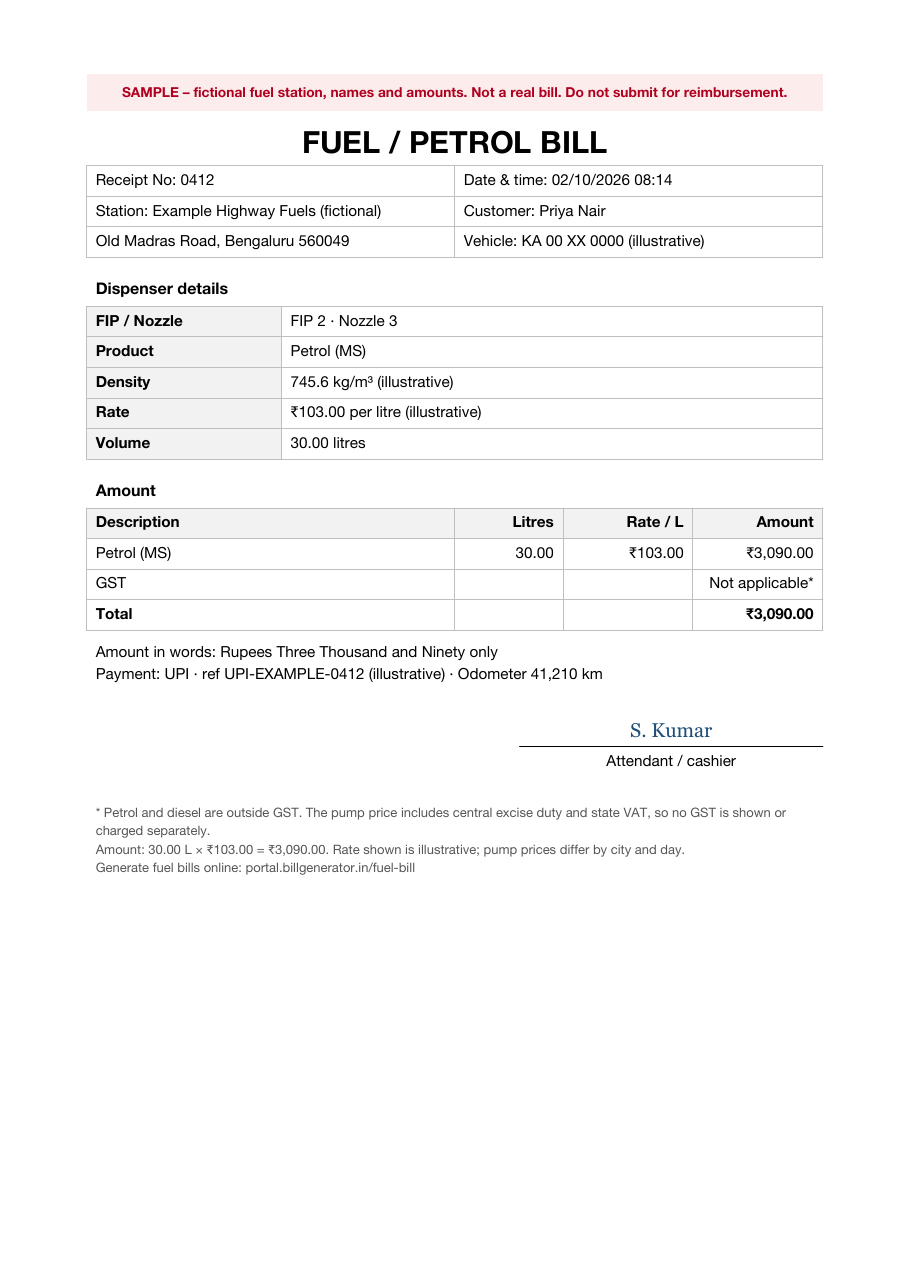
Consider a fictional petrol purchase in Bengaluru, paid by UPI:
| Item | Detail | Amount |
|---|---|---|
| Product | Petrol (motor spirit), FIP 2, nozzle 3 | |
| Rate | ₹103.00 per litre — illustrative only | |
| Volume | 30.00 litres | |
| Fuel amount | 30.00 L × ₹103.00 | ₹3,090.00 |
| GST on petrol | Not applicable | — |
| Total | ₹3,090.00 |
The example can also show a genuine receipt number, date and time, vehicle registration, odometer reading and payment reference. The ₹103 rate is purely illustrative and is not a statement of the current Bengaluru petrol price. Use the actual rate charged at the station on the transaction date.
All names, registration numbers, station details and payment references in the downloadable sample are fictional, and the sample should remain marked SAMPLE / DEMO — NOT VALID FOR CLAIMS.
Download the petrol bill template
The Word petrol bill template is a blank editable A4 layout for genuine station, dispenser, fuel, vehicle and payment details.
The Excel fuel log can record multiple genuine fills during a month. Enter the actual date, rate, quantity, amount and odometer readings. The sheet can calculate totals and help track distance and fuel consumption where sufficient odometer and quantity data is available.
The filled sample PDF demonstrates one fictional fuel purchase. All three files download without signing in.
Replace every example value with information from the real transaction. The sample PDF is an example only and should not be submitted as a station-issued receipt.
Why petrol bills have no GST
Petrol and high-speed diesel remain outside the present GST levy. Section 9(2) of the CGST framework provides that GST on petroleum crude, high-speed diesel, motor spirit (petrol), natural gas and aviation turbine fuel applies from a date notified on the GST Council's recommendation.
Current Government petroleum-tax data continues to classify petrol and high-speed diesel as non-GST goods. The Petroleum Planning & Analysis Cell currently publishes central excise and related duties for these products under its Non-GST Goods table and separately publishes the state and Union Territory VAT or sales-tax rates applicable to petrol and diesel.
See the PPAC current central excise table and the PPAC state VAT and sales-tax table.
What this means for a fuel bill
- No GST on the petrol or diesel line. Do not add CGST, SGST or IGST to the fuel merely because a bill template contains a tax field.
- No GST input tax credit on the fuel purchase itself. Since GST is not levied on petrol or diesel, there is no GST charged on that fuel purchase to claim as input tax credit.
- A GSTIN can still appear in some station records. An outlet may be registered under GST for other taxable goods or services, such as lubricants. The presence of a GSTIN does not make the petrol or diesel itself subject to GST.
- Central and state taxes still apply. Petrol and diesel remain subject to the applicable central-duty and state VAT or sales-tax structure. State taxes differ, which is one factor behind differences in retail fuel prices between locations.
For reimbursement purposes, the GST treatment of the fuel and the income-tax or payroll treatment of an employee's fuel reimbursement are separate issues. Follow the employer's reimbursement policy for the actual claim.
Petrol bill vs fuel log vs fuel card statement
- Petrol bill: records one genuine fuel purchase at a fuel station.
- Fuel log: is your own record of multiple fills, often including odometer readings, quantity, amount and trip or business-use information.
- Fuel card statement: is the statement provided for transactions made using a fleet or fuel card.
The Excel log on this page is an organisational record. It does not replace a genuine fuel-station receipt, fuel-card transaction or other original evidence where your employer or business requires it.
How to create a petrol bill online
- Open the fuel bill generator and choose one of the available templates.
- Enter the genuine fuel-station name and address and, where available, its telephone, FCC ID, FIP and nozzle details.
- Select the actual payment method and enter only a genuine tax or transaction identifier where the original record contains one. A GSTIN field identifies the station; it does not mean GST applies to petrol or diesel.
- Enter the actual fuel rate, total amount, bill date and time.
- Add the genuine customer and vehicle details requested by the selected template.
- Review the live preview carefully, sign in and generate the PDF.
The current generator calculates and displays information according to the selected template. Use it only for a fuel purchase you are authorised to document, and do not invent station, vehicle or transaction details.
Why use a reusable fuel record template?
Fuel receipts can fade or become difficult to organise over time. A consistent record format makes it easier to keep the same useful information for each genuine fill and to reconcile monthly expenses with bank, UPI, card or fuel-card transactions.
The Excel fuel log can complement the original receipts by keeping dates, quantities, amounts and odometer readings together. Preserve the genuine station evidence as well where your employer or accounting process requires it.
Petrol bill PDF: what to check before you save
Before saving or submitting a petrol bill PDF, check that:
- The station details correspond to the genuine purchase
- The bill date and time are correct
- The fuel rate and total amount match the actual transaction
- Any displayed quantity reconciles with the amount and rate
- Vehicle details are correct where included
- GST has not been added to petrol or diesel
- Payment information matches the genuine transaction where recorded
Open the generated PDF itself before using it; do not rely only on the preview.
Genuine fills and fuel station identity
Use these templates only for fuel that was actually purchased and for transactions you are authorised to document.
Do not copy an oil company's logo, a station's dealer identity, GSTIN, address or dispenser information onto a document for a purchase that did not occur there. Do not invent fills, increase the quantity or amount, or create a receipt for fuel that was never purchased.
If an original station receipt is lost or unreadable, ask the station whether it can provide a duplicate or transaction record. Keep genuine card, UPI, bank or fuel-card evidence where available. The fictional sample on this page exists only to demonstrate the format and must not be submitted as evidence of an actual purchase.
Common petrol bill mistakes
- Adding GST to petrol or diesel. These fuels are currently outside GST.
- Amounts that do not reconcile. Where quantity and rate are both shown, their calculation should agree with the actual amount charged.
- Incorrect fuel or vehicle information. Record the product and vehicle that actually relate to the transaction.
- Using an old or illustrative rate. Use the station's actual rate on the transaction date.
- Copying another outlet's details. Station identity must correspond to the genuine purchase.
- Combining separate fills into a fabricated single receipt. Keep each genuine transaction separate and use the Excel log to total multiple fills.
Frequently asked questions
What is the format of a petrol bill?
A useful petrol bill identifies the fuel station and transaction and can show the bill number, date and time, dispenser information, fuel rate, quantity or amount, vehicle and payment details. The exact fields vary by station and billing system.
Is GST charged on petrol in India?
No. Petrol and high-speed diesel are currently classified as non-GST goods. They remain under the applicable central-duty and state VAT or sales-tax structure, so a petrol or diesel fuel line should not show a separate CGST, SGST or IGST charge.
Can I download a petrol bill format in Word?
Yes. The Word template is a blank editable format available without signing in. The page also provides an Excel fuel log and a fictional sample PDF.
What is a petrol slip?
A petrol slip is the receipt printed by a fuel dispenser or station billing system after a purchase. The information printed varies by station but can include the receipt number, date and time, dispenser details, rate, quantity and total amount. Thermal receipts can fade, so preserve a scan or other record of the genuine transaction if needed.
How do I claim fuel reimbursement from my employer?
Requirements vary by employer. A company may ask for original fuel receipts, vehicle details, a monthly fuel log, odometer readings or evidence of business travel. Follow your company's current reimbursement policy rather than assuming every employer uses the same documentation or per-kilometre calculation.
What should I do if I lose a petrol receipt?
Ask the fuel station whether it can retrieve or reissue the transaction from its records. Keep genuine payment evidence such as a UPI, card, bank or fuel-card transaction where available. Do not recreate the station's receipt and submit it as though the station issued it.
Generate a petrol bill online
Use the fuel bill generator only for a genuine fuel purchase you are authorised to document. Enter the actual station, transaction and vehicle details, review the preview and generate the PDF.
For related reimbursement records, see the driver salary receipt format and the cab bill format. For other document types, see the bills and receipts hub.